NOICE / Matted
Your photos,
properly framed.
You spent time on the light, the composition, the edit. Don't let a platform decide the crop. Matted lets you mat your photos exactly as you intend — the whole set, all in one app.
Portrait. Square. Story. Any ratio, any photo, any shoot.
The work is done. The formatting shouldn't take another hour.
You finish editing a set, ready to share — then comes the tedious part. Resizing, reframing, borders, exporting one by one. It's not a creative problem. It's a formatting problem, and it has a better solution.
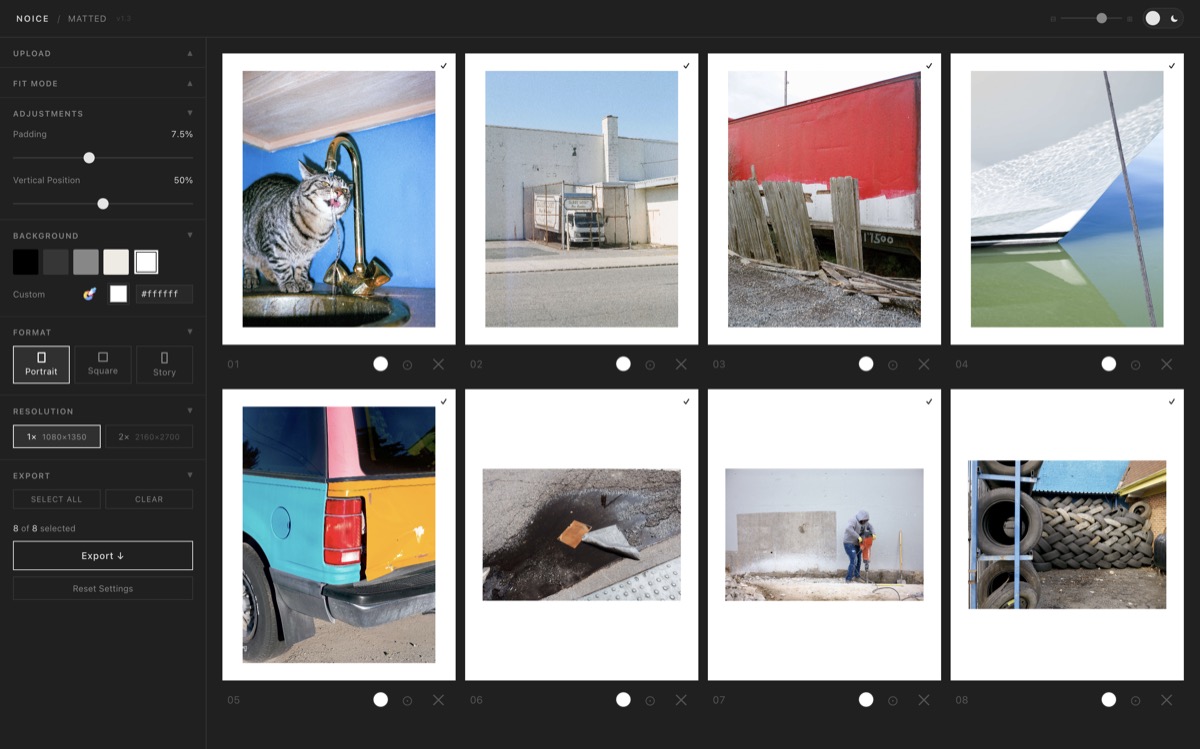
Drop in. Set your mat. Export.
01
Bring your photos in
Drag in one image or an entire shoot. Any format, any aspect ratio.
02
Choose your framing
Pick a ratio, set your mat color, adjust the padding. Every photo gets the same treatment.
03
Export the whole set
A numbered ZIP, ready to upload. Rendered on your device — nothing uploaded.
For photographers who care about the details.
Matted isn't a social media tool. It's a formatting tool that solves a problem photographers hit every time they share work online.
If you care how your images are presented and consistency across a set matters — a new series, client work, or a recent shoot — this is for you.
Everything you need. Nothing you don't.
Batch processing
Upload an entire shoot and apply your settings across all of it at once.
Three output ratios
4:5 portrait, 1:1 square, 9:16 story. Switch in one click and the whole set updates.
Full color control
Curated neutrals or any custom hex. Your mat, your aesthetic.
Fit or fill
Show the whole photo with breathing room, or fill the frame and let Matted crop.
Reorder your sequence
Drag slides into order before exporting. The ZIP comes out numbered to match.
Runs entirely on your device
No uploads. No account. No subscription. Your files stay on your computer.
Installs as a desktop app
Use it in the browser or install it to your dock. Works offline, feels native.
Simple. One price. No subscription.
$9 — Full version
Unlimited exports. No watermark. Yours forever. Pay by card or Bitcoin.
Get Matted — $9Already have a license key? Enter it in the app to unlock.
Portfolio Review submitters receive the full version at no extra cost.